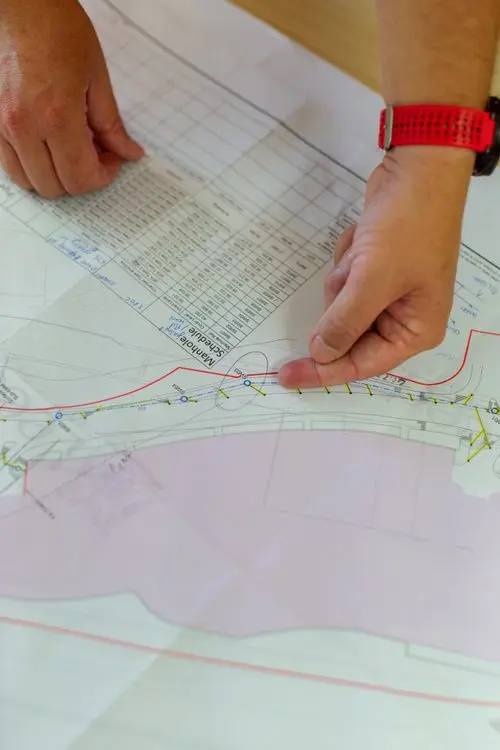
Why a Primavera P6 Schedule Update Shows the Wrong Finish Date
11 August 2026 — Christian Ramos

A Primavera P6 wrong finish date is rarely caused by one dramatic error. In most schedule updates, it comes from several small settings working together: an open-ended activity, an incorrect actual date, the wrong calendar, an overlooked constraint, or a remaining duration that no longer reflects the work on site.
I have seen this happen even in schedules that look clean at first glance. The safest approach is to diagnose the network in a fixed order instead of changing dates until the result looks right.
Start with the data date
The data date is the dividing line between completed work and the remaining plan. If it is earlier or later than the reporting cut-off, all forecast dates can shift.
Before reviewing individual activities, confirm:
- The data date matches the approved reporting cut-off.
- Actual starts and finishes are not later than the data date.
- In-progress work is correctly placed around the data date.
- The correct project is open when you run the schedule calculation.
A one-day data-date error can affect more than one day of the forecast when calendars, lags, or out-of-sequence progress are involved.
Check actual dates carefully
Actual dates should describe what happened, not what was originally planned. A common mistake is entering an Actual Start on the wrong activity or marking an activity complete while its successor is still logically dependent on it.
Look for these warning signs:
- Actual Finish entered before Actual Start.
- Actual dates after the data date.
- Completed activities with remaining duration or units.
- In-progress activities with zero remaining duration.
- Successors that started before their predecessors without a valid site explanation.
Oracle explains that early and remaining dates are calculated from relationships, constraints, resource availability, and the status of the activity. Its guide to P6 activity dates is a useful reference when two date fields appear to tell different stories.
Review incomplete logic
Open ends are among the most common reasons a schedule update finishes too early. Every normal activity should have a logical path from project start to project completion, except legitimate start and finish milestones.
Run a schedule check and identify:
- Activities without predecessors.
- Activities without successors.
- Dangling starts or finishes.
- Excessive lags that hide missing work.
- Relationships connected to the wrong activity.
Do not solve an open end by connecting it to any nearby activity. The relationship must describe how the work will actually be executed.
Verify calendars and working hours
Two activities with the same five-day duration may finish on different dates if their calendars are different. Check the assigned calendar, workweek, holidays, Ramadan or seasonal working hours, and the hours-per-day settings used to display duration.
Pay special attention when an activity was copied from another project. The copied activity may keep a calendar that is not suitable for the current site.
Investigate hard and soft constraints
Constraints can override or restrict network logic. Mandatory Start and Mandatory Finish are especially powerful and should be used only when there is a clear contractual or physical reason.
For each constrained activity, ask:
- Is the constraint still valid?
- Is the date supported by a contract requirement or approved instruction?
- Is the same requirement already represented by logic?
- Does the constraint create negative float or hide the real driving path?
If a milestone represents a contractual completion date, a Finish On or Before constraint may be appropriate. For ordinary construction activities, logic is normally clearer and easier to defend.
Check remaining duration and percent complete type
The forecast finish is driven by remaining work. If the remaining duration was not updated after actual progress was entered, P6 may forecast a date that is technically correct but operationally unrealistic.
For an in-progress activity, compare:
| Field | Practical question |
|---|---|
| Remaining Duration | How many working days are genuinely needed to finish? |
| Physical % Complete | How much measurable scope is complete? |
| Duration % Complete | Is progress being calculated from time rather than quantity? |
| Units % Complete | Are actual and remaining resource units reliable? |
Do not force the finish date by reducing remaining duration without evidence. Use quantities, productivity, crew deployment, approved access dates, and current site conditions.
Review scheduling options
Out-of-sequence progress can produce different results depending on whether the schedule uses Retained Logic, Progress Override, or Actual Dates. Retained Logic normally keeps incomplete predecessor work controlling its successors, while Progress Override can allow the remaining successor work to continue.
The correct choice depends on the contract, the approved scheduling procedure, and what actually happened on site. Record the selected option in the monthly schedule narrative so reviewers can reproduce the calculation.
Trace the longest path
If the project finish still looks wrong, start at the completion milestone and trace the driving relationships backward. This is often faster than reviewing thousands of activities.
Check whether the path passes through the work that genuinely controls completion. If it jumps through a minor activity, procurement item, or unrelated area, investigate the logic around that point.
How to fix a Primavera P6 wrong finish date
Use this order every month:
- Confirm the data date and schedule options.
- Run schedule log checks.
- Correct invalid actual dates and status.
- Review open ends and dangling logic.
- Verify calendars and constraints.
- Validate remaining durations using site evidence.
- Trace the longest path to the completion milestone.
- Compare the current forecast with the previous update.
- Record every material change in the narrative.
This method protects the schedule from cosmetic fixes. It also gives management a clear explanation when the finish date changes.
Final takeaway
A Primavera P6 wrong finish date is usually a symptom, not the root cause. The goal is not to make the date match an expectation. The goal is to make the schedule accurately reflect actual progress, remaining scope, access, productivity, and network logic.
If you need help reviewing a complex update, learn more about my project controls experience or contact me for a structured schedule health check.
Frequently asked questions
Why does P6 show a finish date later than my manual calculation?
P6 uses activity calendars, relationships, lags, constraints, the data date, and scheduling options. A manual calendar-day calculation often misses one of these factors.
Can I type a finish date directly to correct the schedule?
You should correct the underlying status, duration, calendar, logic, or approved constraint. Typing a date may hide the real cause and make future updates harder to defend.
What should I check first when the project finish suddenly changes?
Compare the current and previous update for data date, actual dates, remaining durations, logic changes, calendars, constraints, and the longest path.