B
BRAINBAY

Project Controls · Intelligence · AI

Categories
AI in Construction Project Controls

AI in Construction Planning: 9 Practical Uses for Better Project Controls

AI in construction planning is becoming useful when it is applied to real project-control problems: reviewing schedules, organizing progress evidence, preparing look-ahead plans, identifying risk patterns, and turning large amounts of project data into clearer decisions. The goal is not to replace the planning engineer. The goal is to reduce repetitive work while keeping professional judgment, contractual responsibility, and data validation with the project team.
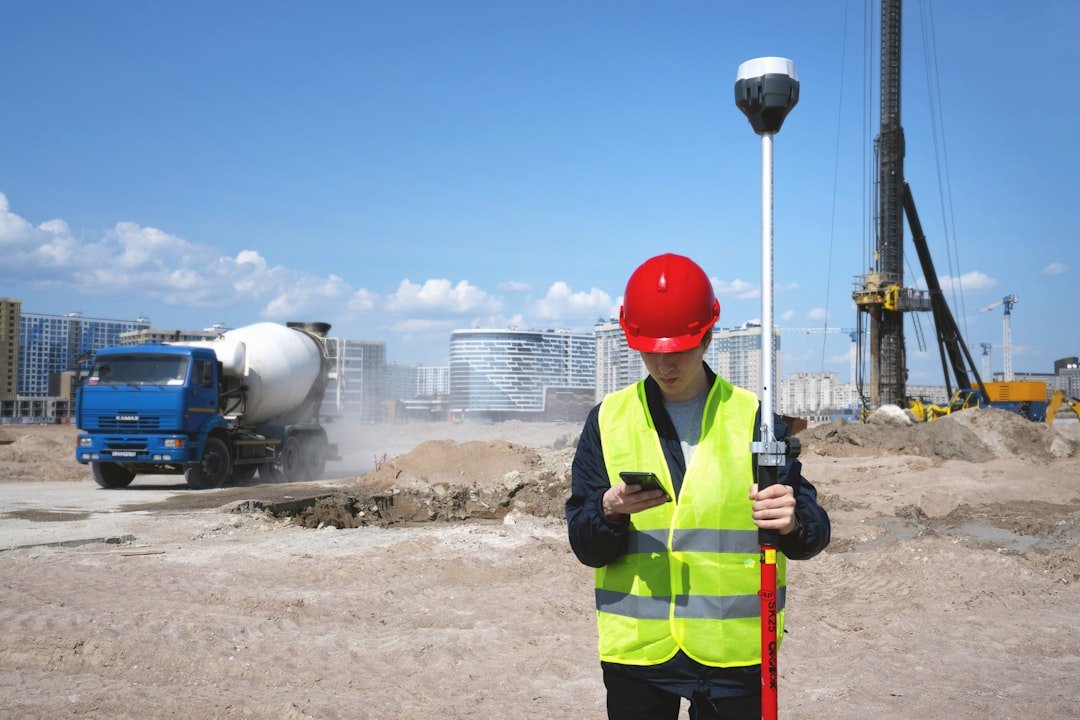
AI in construction planning for schedule review, progress reporting and project controls
AI works best when it supports a controlled planning workflow and verified project data. Photo by Valerie V via Unsplash.

Construction teams already generate schedules, RFIs, submittals, daily reports, photos, BIM data, procurement trackers, risk registers, and meeting minutes. AI can help connect these information streams, but only when the source data is reliable and the output is checked before it is used for management or contractual decisions.

What AI in construction planning should actually do

A practical AI workflow should save time, improve consistency, and make risks easier to see. It should not invent progress, change approved schedule logic, or make contractual conclusions without evidence. Good use cases start with a defined input, a clear task, and a human review step.

For a broader introduction, see my guide to artificial intelligence in construction. This article focuses specifically on planning and project controls.

1. Review Primavera P6 schedule quality faster

AI can assist a planner by reviewing exported schedule data and highlighting items that deserve attention, such as open ends, excessive constraints, unusual remaining durations, negative float, long lags, missing actual dates, or activities that do not match the expected work sequence.

The important point is that AI should flag possible issues, not automatically “fix” the programme. Logic changes can alter the critical path and forecast finish, so the planning engineer still needs to review every recommended correction against the approved baseline, actual site sequence, and contract requirements.

2. Build stronger two-week and four-week look-ahead plans

Look-ahead planning becomes more useful when activities are connected with constraints. AI can help compare upcoming schedule activities against access status, material availability, drawings, inspections, subcontractor interfaces, permits, and outstanding approvals.

A good output is not simply a list of activities due next week. It is a list of executable activities, their quantities, owners, required resources, constraints, and actions. See the practical workflow in my two-week look-ahead schedule guide.

3. Prepare progress narratives from verified data

Weekly and monthly reports often require planners to convert tables into management language. AI can draft a narrative from approved progress figures, milestone movement, critical activities, manpower trends, productivity, and current constraints.

The safest workflow is simple: validate the numbers first, lock the reporting cut-off date, provide the approved data to the AI tool, and then review the narrative line by line. AI should never be allowed to guess missing percentages or create reasons for delay that are not supported by records.

4. Organize delay events and contemporaneous evidence

Delay analysis depends on dates, notices, instructions, access records, RFIs, programme updates, meeting minutes, and supporting correspondence. AI can help organize these records chronologically and identify where supporting evidence is missing.

It can also help draft a neutral event summary showing cause, response, mitigation, and observed schedule effect. Contract interpretation and entitlement still require qualified review. For the underlying structure, use my delay event chronology guide.

5. Surface schedule and project risk earlier

AI and predictive analytics can help teams identify patterns in schedule, safety, workflow, and performance data. Oracle describes construction intelligence tools that use project data to support proactive risk identification and schedule-health analysis. The useful lesson for project controls is not that software can predict the future perfectly; it is that historical and current data can be used to highlight areas that deserve earlier attention.

See Oracle Construction and Engineering Intelligence for an example of how predictive intelligence is being applied to construction data.

6. Search drawings, RFIs, submittals and specifications more efficiently

Large projects can contain thousands of documents. AI-assisted search can reduce the time spent locating requirements, related RFIs, previous comments, or specification clauses. Autodesk, for example, describes AI-supported construction workflows for document management, issue creation, submittals, and project information.

See Autodesk construction AI software for examples of AI-supported document and project workflows.

For planners, this can be especially useful when confirming whether an activity is genuinely ready to start. The final readiness decision should still be based on the latest approved document and actual site condition.

7. Improve procurement and long-lead tracking

Procurement schedules often contain repeated stages: technical submittal, approval, purchase order, manufacturing, inspection, FAT, shipping, customs, delivery, installation, testing, and commissioning. AI can help compare these dates against required-on-site milestones and identify packages where forecast delivery threatens the construction sequence.

The planner should then review the result with procurement and site teams. A late delivery only becomes a schedule delay when it affects a required activity, milestone, or critical sequence.

8. Connect BIM, progress photos and schedule information

AI can support image classification, document matching, model review, and progress-data organization. When BIM areas, schedule activity codes, and progress records use the same location structure, teams can compare planned work with observed status more efficiently.

This is most useful when the project already has disciplined naming conventions. AI does not solve inconsistent area codes, duplicate activity IDs, or unstructured photo records. Data standards need to come first.

9. Produce clearer management dashboards and explanations

AI can help explain dashboard movements in plain language: what changed, where the variance is concentrated, which milestone moved, and what management should investigate next. This can be valuable when Power BI, Primavera P6, procurement data, and progress information are already connected through a controlled reporting process.

My guide on connecting Primavera P6 and Power BI explains the data-model and validation foundation needed before adding AI-generated insights.

A simple AI in construction planning workflow

  1. Define the decision. State exactly what the planner or manager needs to know.
  2. Control the source data. Use the approved schedule update, latest tracker, or verified report.
  3. Give the AI a bounded task. Ask it to identify, compare, summarize, classify, or draft—not to invent missing facts.
  4. Validate the output. Reconcile key dates, quantities, percentages, and references against the original source.
  5. Record the final decision. The approved programme, report, meeting record, or formal correspondence remains the project record—not the AI chat.

What should not be delegated to AI

  • Approving actual progress without evidence.
  • Changing baseline logic or contractual milestones without authorized review.
  • Making final entitlement or liability conclusions.
  • Submitting confidential project information to tools that are not approved by the organization.
  • Publishing generated claims, statistics, or references that have not been checked.

A simple rule is useful: if the output can affect payment, extension of time, safety, contractual rights, or an approved project record, it needs competent human verification.

How to start without overcomplicating it

Start with one repetitive planning task that already has a controlled input and an obvious validation method. Good examples are weekly progress narratives, look-ahead constraint summaries, schedule-quality checklists, or classification of delay correspondence.

Measure whether the workflow saves time and improves consistency. If it does, document the process and expand gradually. If it creates more checking work than it saves, simplify the task before adding more automation.

Final takeaway

AI in construction planning is most valuable as a controlled assistant for schedule review, reporting, risk identification, document organization, and decision support. The strongest results come from good source data, clear prompts, repeatable checks, and experienced human judgment.

For more practical planning and project-controls resources, visit the planning articles or review the author background.

Frequently asked questions

Can AI create a Primavera P6 schedule automatically?

AI can help draft WBS structures, activity lists, coding ideas, and logic-review checklists, but a reliable CPM schedule still requires project-specific scope, calendars, sequencing, constraints, procurement interfaces, and planner validation.

Will AI replace construction planning engineers?

AI is better suited to assisting with repetitive analysis, document handling, drafting, and pattern recognition. Planning engineers are still needed to understand site conditions, contractual requirements, schedule logic, stakeholder commitments, and the consequences of decisions.

What is the best first AI use case for a planning team?

A good starting point is a task with structured inputs and easy verification, such as converting approved weekly progress data into a draft narrative or producing a constraint summary from a look-ahead schedule.
Categories
AI in Construction

Artificial Intelligence in Construction: 7 Powerful Uses for Better Projects

Artificial intelligence in construction is moving from industry discussion to practical project use. Planning teams are applying AI-assisted tools to organize documents, review progress information, identify patterns, improve reporting, and support faster decisions. The real opportunity is not to replace engineers. It is to help experienced people spend less time on repetitive work and more time solving project problems.

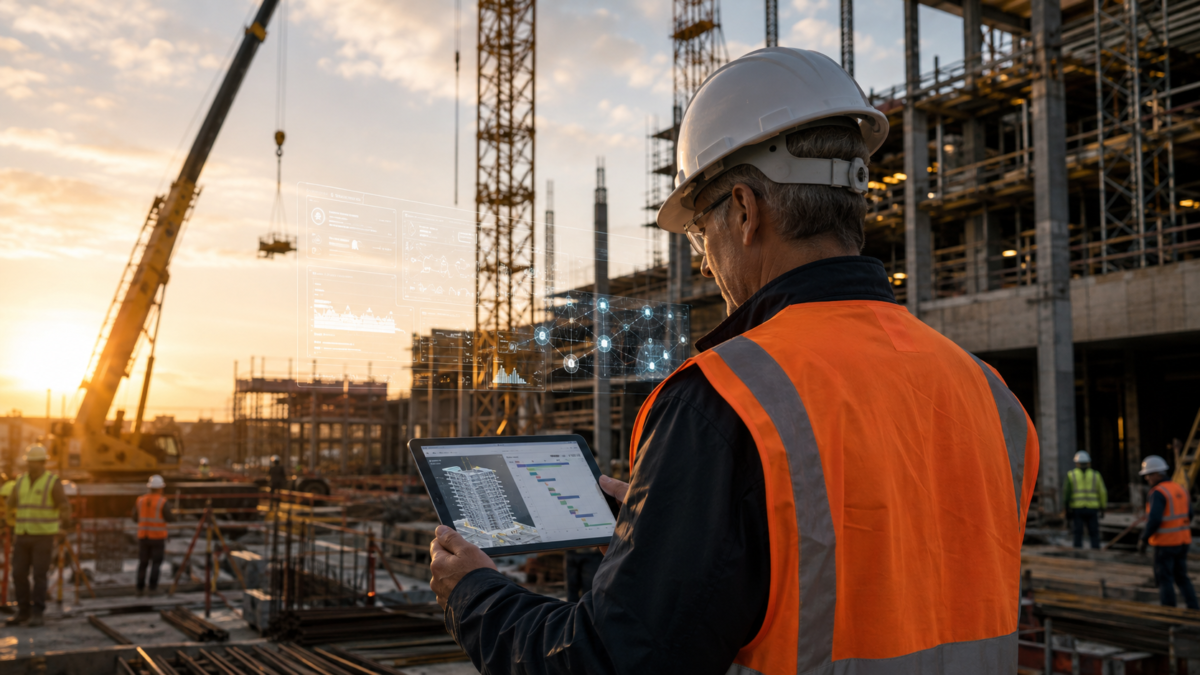
Artificial intelligence in construction used for project planning, BIM coordination and progress monitoring
AI-assisted construction planning can connect schedules, BIM models, progress information, and site observations—while engineers retain responsibility for decisions.

For planning engineers and project-controls professionals, the value is especially clear. Construction projects generate schedules, requests for information, technical submissions, drawings, daily reports, photographs, cost data, BIM models, and correspondence. AI can help connect this information—but only when the data is reliable and a qualified professional remains responsible for the final decision.

Quick answer: AI can improve construction planning, scheduling, BIM coordination, progress monitoring, safety reviews, cost forecasting, quality control, and management reporting. However, every output must be checked against the contract, approved program, site records, and current project data.

What Is Artificial Intelligence in Construction?

Artificial intelligence in construction means using computer systems to analyze project information, recognize patterns, generate useful outputs, or automate selected tasks. This includes machine learning, computer vision, natural-language processing, predictive analytics, and generative AI.

For example, these technologies are not one single product. They can appear inside scheduling platforms, BIM tools, document-management systems, cameras, drones, dashboards, estimating software, and general-purpose assistants. Autodesk describes construction AI as a way to analyze connected project data, automate workflows, identify risks earlier, and support better decisions. The important phrase is support better decisions: responsibility still sits with the project team.

Seven Practical Uses of AI in Construction

1. Construction Planning and Scheduling

In practice, AI-assisted planning tools can review large schedules, compare updates, highlight unusual logic, and identify activities that may need attention. In a Primavera P6 workflow, an engineer could use AI to prepare a first-pass narrative of major changes, group delayed activities by area or responsibility, or summarize critical and near-critical work.

However, the approved baseline, calendars, constraints, relationships, resource assumptions, and actual dates must still be checked by the planner. A confident AI summary is not proof that a delay is critical or that an entitlement exists.

2. Progress Monitoring and Forecasting

Meanwhile, projects often struggle because progress data arrives late or in inconsistent formats. AI can help classify daily reports, organize photographs, compare planned and actual quantities, and identify trends across areas or work packages. When connected to a clean data environment, it may support more frequent forecasts and earlier warnings.

A practical workflow is to combine approved quantities, verified site progress, schedule dates, manpower information, and productivity rates. The system can then flag gaps for human review. It should never replace joint measurement, inspection records, or formal approval procedures.

3. Delay Analysis and Extension of Time Support

Similarly, delay analysis requires disciplined evidence. AI can help search correspondence, create event registers, arrange records chronologically, summarize requests for information, and link potential delay events to relevant activities. This can reduce the time spent locating documents.

However, an Extension of Time assessment depends on the contract, contemporaneous records, critical-path impact, causation, concurrency, mitigation, and the selected analysis method. AI cannot independently determine contractual entitlement. A planning or claims professional must validate every date, quotation, logic link, and conclusion.

4. BIM Coordination and Design Review

In addition, BIM already provides a structured digital view of a project. AI can strengthen this by helping teams classify issues, prioritize clashes, compare revisions, and detect recurring coordination risks. It can also help users find relevant model information or summarize large sets of design comments.

Therefore, the best results come from connected, controlled information. Autodesk notes that a common data environment can provide a reliable foundation for predictive modeling, monitoring, and reporting. Poor file naming, duplicate records, outdated drawings, or missing approvals will weaken any AI output.

5. Safety and Risk Management

For instance, computer-vision systems may help identify missing personal protective equipment, unsafe access, restricted-area entry, or changing site conditions. Predictive tools can also analyze safety observations and highlight patterns that deserve attention.

Nevertheless, these tools are additional controls—not substitutes for competent supervision, risk assessments, method statements, training, inspections, or workers’ right to report hazards. AI alerts should be reviewed by responsible safety personnel before action is taken.

6. Cost Estimating and Commercial Control

Likewise, AI can assist with quantity classification, historical cost comparison, document review, and early forecasting. It may help estimators organize large datasets or identify cost items that require closer investigation. Commercial teams can also use it to summarize variations and track supporting records.

However, rates, scope, exclusions, taxes, escalation, productivity, procurement conditions, and contractual risk remain project-specific. Final estimates and commercial submissions require professional review.

7. Management Reporting and Communication

Finally, weekly and monthly reports often require the same information to be reorganized for different audiences. AI can help transform verified project data into concise narratives, dashboard commentary, meeting summaries, and action lists. It can also help simplify technical language without removing important qualifications.

Therefore, the safest approach is to generate reports only from approved data, then verify every figure and statement before issue. This is particularly important for progress percentages, forecast dates, causes of delay, and responsibility.

Benefits of AI for Construction Teams

  • Less repetitive administration: faster sorting, summarizing, and formatting of project information.
  • Earlier risk visibility: patterns and exceptions can be highlighted before they become larger problems.
  • Better access to information: teams can search large document sets more efficiently.
  • More consistent reporting: standard structures can improve weekly and monthly reports.
  • Stronger coordination: connected data can support communication between planning, BIM, commercial, quality, and site teams.
  • More time for engineering judgment: professionals can focus on validation, strategy, recovery, and decision-making.

Key Risks and Limitations

Incorrect or Invented Outputs

For example, generative AI can produce information that sounds credible but is wrong. It may invent dates, clauses, calculations, or sources. This is why contractual correspondence, delay analysis, and technical recommendations require line-by-line verification.

Poor Data Quality

Moreover, AI cannot repair a weak information-management process by itself. If actual dates are missing, quantities are not approved, or documents are outdated, the result may be misleading. A controlled common data environment and clear ownership of data remain essential.

Privacy and Confidentiality

Consequently, project teams should not upload confidential drawings, personal information, commercial rates, claims strategy, or restricted correspondence into an AI service without authorization. Organizations need approved tools, access controls, retention rules, and staff training.

Bias and Lack of Transparent Reasoning

Additionally, some models may produce recommendations without a transparent explanation. The Artificial Intelligence Risk Management Framework recommends managing AI through the functions Govern, Map, Measure, and Manage. For construction companies, this provides a practical basis for defining accountability, checking performance, and controlling risk.

Excessive Reliance on Automation

Ultimately, a project team can lose important context when it accepts an automated answer without visiting the work area, reviewing the program, or checking the contract. AI should support professional judgment, not weaken it.

A Responsible Implementation Framework

  1. Choose one useful problem. Start with a controlled task such as document classification, meeting summaries, progress-photo organization, or first-pass reporting.
  2. Define the source of truth. Identify the approved program, drawings, registers, quantities, and reporting cut-off date.
  3. Protect project information. Use only company-approved systems and remove confidential or personal data where required.
  4. Keep a human reviewer. Assign a competent person to approve every output before it affects safety, cost, time, quality, or contractual communication.
  5. Test accuracy. Compare the AI result with known examples and record common errors.
  6. Measure value. Track time saved, errors found, adoption, and whether the tool improves decisions.
  7. Scale gradually. Expand only after the workflow is reliable, secure, and understood by users.

Artificial Intelligence and Primavera P6

In summary, artificial intelligence can complement Primavera P6, but it does not replace good schedule engineering. The program still needs a suitable work breakdown structure, realistic activity durations, correct calendars, disciplined logic, valid progress updates, and an approved baseline.

For example, useful AI-assisted activities may include checking schedule narratives, grouping variance explanations, preparing look-ahead summaries, identifying missing supporting notes, and translating technical schedule information for management. For further guidance on planning and delay-related resources, visit the construction planning blog or review the Extension of Time Claim Toolkit.

Will AI Replace Construction Professionals?

AI is more likely to change tasks than remove the need for competent professionals. Construction work depends on physical conditions, contracts, stakeholder coordination, safety responsibility, judgment, and accountability. A model does not attend coordination meetings, verify completed work, accept professional liability, or understand every commercial relationship.

Professionals who combine engineering knowledge with digital skills will be better positioned to use AI effectively. The strongest future roles will not belong to people who simply produce more text. They will belong to people who can define the problem, select reliable data, challenge the output, and turn verified information into action.

Frequently Asked Questions

How is artificial intelligence used in construction?

It is used for planning support, schedule review, document search, BIM coordination, progress monitoring, forecasting, safety analysis, quality control, estimating, and management reporting.

Can AI prepare an Extension of Time claim?

AI can help organize evidence and draft parts of a submission, but a qualified professional must verify causation, critical-path impact, contractual entitlement, concurrency, mitigation, and all supporting records.

Can AI work with Primavera P6?

AI can support analysis and reporting around P6 data, but the schedule must still be built, updated, checked, and approved using sound planning practice.

What is the biggest risk of AI in construction?

The biggest practical risk is treating an unverified output as fact. Data privacy, weak source data, bias, and unclear accountability are also significant concerns.

How should a construction company start using AI?

Start with one low-risk workflow, use approved data and tools, assign a human reviewer, measure results, and expand only after accuracy and security are demonstrated.

Final Thoughts

Artificial intelligence in construction can create real value when it is connected to reliable project data and governed by experienced professionals. The best use cases are practical: reducing repetitive work, finding information faster, identifying risks earlier, and improving communication.

The principle is simple: let AI assist with speed and scale, while engineers remain responsible for evidence, judgment, safety, contracts, and final decisions. That combination can strengthen project controls without sacrificing professional accountability.

Author’s perspective: Christian Ramos is a Senior Planning Engineer and Civil Engineer specializing in Primavera P6 scheduling, project controls, delay analysis, recovery planning, BIM coordination, and management reporting.

Authoritative Resources