
Turn the Primavera P6 programme into a practical two-week look-ahead with clear workfronts, quantities, resources, constraints and responsibilities.
How to Prepare a Two-Week Look-Ahead Schedule That Works on Site
11 August 2026 — Christian Ramos

A two-week look-ahead schedule should help supervisors decide what to do today, not simply repeat a filtered Primavera P6 printout. The best look-ahead plans convert the programme into clear workfronts, quantities, resources, constraints, and named responsibilities.
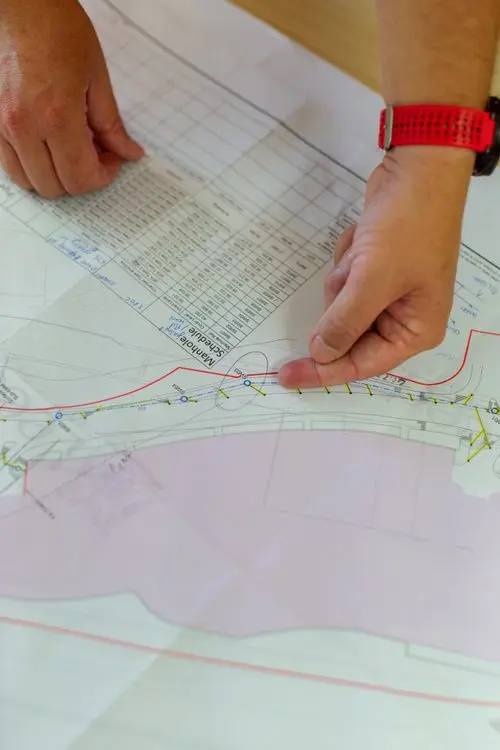
When the document is practical, it becomes the bridge between the planning team and site execution. When it is too general, it becomes another report that people receive but do not use.
Begin with the latest approved update
The look-ahead must align with the current programme data date, logic, and forecast. Use the latest reviewed update as the source, then reflect any verified site changes that happened after the cut-off.
Do not quietly change contractual milestone dates in the look-ahead. If site conditions require a different sequence, show the operational plan and explain the variance from the programme.
Select work that can actually be performed
Include activities planned during the next 14 days, overdue activities that still require action, and near-term prerequisites.
Before adding an activity, confirm:
- The workfront is handed over and safe.
- Approved drawings and method statements are available.
- Materials are approved, fabricated, and deliverable.
- Required labor, equipment, access, and permits are available.
- Preceding work by others is complete.
- Inspection and testing arrangements are clear.
An activity should not appear as an unconditional commitment when a critical prerequisite is still open. Show the constraint and the responsible party.
Break programme activities into site-level tasks
A programme activity such as “Install stone flooring – Level 1” may cover several areas and weeks. Site teams need smaller packages.
Break it down by:
- Building, level, zone, room, or elevation.
- Trade or work type.
- Daily or weekly quantity.
- Crew and supervisor.
- Inspection or handover point.
For example, replace “stone installation” with “Install 120 m² of flooring in Level 1, Zone B, Grid 4–7 using Crew 2.” This makes progress measurable.
Use a clear two-week look-ahead schedule table
A practical two-week look-ahead schedule may include:
| Field | What to show |
|---|---|
| Activity ID | Link to the approved programme |
| Location | Building, floor, zone, grid, or room |
| Work description | Specific executable task |
| Planned dates | Start and finish within the 14-day window |
| Quantity | Planned measurable output |
| Resources | Crew, labor, plant, or equipment |
| Predecessor | Immediate prerequisite |
| Constraint | Open issue preventing work |
| Responsible party | Person or organization that must act |
| Status | Ready, at risk, blocked, in progress, or complete |
Keep the table readable on a laptop and printable for site meetings. If too many columns make it difficult to use, move detailed notes to a constraint register.
Set quantities from realistic productivity
Calculate planned output using available workfront, crew size, working hours, and demonstrated productivity.
If one crew installs 20 m² per day and six productive days are available, the maximum theoretical output is 120 m². Then adjust for access, inspection, movement, material handling, and interface work.
Avoid setting a target only because it closes a gap in the programme. A target needs a resource and production basis.
Maintain a live constraint log
Every blocked task should have:
- A concise description of the constraint.
- The date it was identified.
- The date resolution is required.
- The responsible party.
- The latest action and reference.
- The effect if it remains unresolved.
Typical constraints include access, incomplete preceding works, missing approvals, late delivery, design clarification, inspection availability, scaffolding, lifting equipment, and power or lighting.
Review the plan with the people doing the work
The planning engineer should not prepare the look-ahead alone. Confirm it with the construction manager, site engineers, supervisors, procurement team, QA/QC, logistics, and subcontractors.
During the meeting, ask three questions for every major task:
- Is the area ready?
- Are the resources and materials available?
- What could stop this work during the next two weeks?
This short conversation often identifies issues that do not appear in the schedule database.
Measure planned versus completed work
At the next review, do not simply replace the old file. Record what was completed, partially completed, not started, or moved.
Useful indicators include:
- Activities completed as planned.
- Planned quantity versus installed quantity.
- Tasks blocked by unresolved constraints.
- Commitments carried over to the next period.
- Reasons for missed targets.
Use the result to improve the next plan. Repeated carry-over is a warning that productivity, access, or planning assumptions are unreliable.
Connect it to weekly and monthly reporting
The look-ahead provides early evidence for the monthly update. Actual dates, quantities, constraints, and photographs should flow into the schedule status and progress narrative.
If you use P6, keep the Activity ID in the look-ahead so records can be traced back to the programme. Oracle’s P6 Professional User Guide is a helpful reference for activity, date, and scheduling concepts.
Common mistakes to avoid
- Copying the entire monthly programme into Excel.
- Using descriptions that are too broad for site control.
- Omitting quantities and resources.
- Hiding constraints to make the plan look achievable.
- Assigning every action to “site team.”
- Ignoring overdue activities.
- Changing the plan without recording why.
- Reporting percentages that cannot be verified.
Final takeaway
A two-week look-ahead schedule works when it is specific, measurable, and discussed with the people responsible for delivery. It should expose constraints early, establish realistic commitments, and convert the programme into daily priorities.
Learn more about my planning and reporting work or contact me for help building a practical site-control system.
Frequently asked questions
Why use a two-week period?
Fourteen days is long enough to prepare resources and resolve near-term constraints while remaining close enough for reliable site planning. Some projects use three- or six-week windows depending on procurement and approval cycles.
Should a look-ahead include delayed activities?
Yes. Include overdue tasks that still require action and clearly show their status, reason for delay, and responsible party.
Is the look-ahead a contractual programme?
Normally it is an operational control document derived from the accepted programme. The contract and project procedures determine its formal status.